




















Brother Printer Maintenance Tips: Ink System Flush, Toner Empty Fix & Printer Spooler Troubleshooting

The printer always provides some signs in advance to alert you about the need for maintenance, much before it breaks down. Slow printing speed, inconsistent prints, printing delays, or constant warning messages on the computer screen are all such signs that your printer requires maintenance. Brother ink system flush procedures are often considered during regular maintenance when required. The neglect of these signs can result in frequent disruptions and may even reduce the life of essential printer parts.
Maintenance of a printer does not consist only of its external cleaning. Monitoring its internal operation and making sure that all the software of the printer works fine and its consumables function correctly is part of the process. The process of printer maintenance makes your Brother printer reliable. Brother error code alerts should also be monitored during routine maintenance.
Create a Schedule Rather Than Reacting to Printer Problems
Printer problems usually arise slowly over time and not suddenly. The printer gets dusty, the printheads lose efficiency, new settings appear due to upgrades, and printer consumables wear out. A maintenance schedule every few weeks is a good way to discover such minor problems before they impact the printer’s performance.
An easy maintenance plan involves looking at how the paper is stored, examining the printer’s easily accessible parts, updating the printer drivers, and performing the printer’s self-maintenance routines. Such actions will prolong your printer’s lifespan without much effort on your part. Brother toner empty notifications should also be checked during these inspections.
When a Brother Ink System Flush Is Required
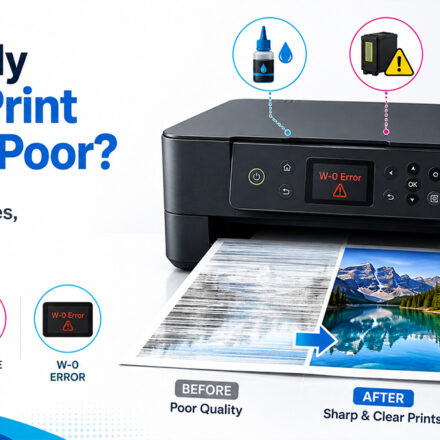
The Brother brand of printers using inkjet printer technology relies on the nozzles to supply adequate amounts of ink while printing. When the printer remains inactive for an extended period of time or works in a dusty environment, dried-out ink will partially block the nozzles. This results in faint, incomplete, or poor colors.
The Brother ink system flush is meant to clean difficult-to-clean clogs that cannot be cleaned using regular cleaning. Given the fact that this operation requires a lot of ink, it is supposed to be done only when suggested by the maintenance menu of the printer or when regular cleaning operations do not bring back its normal performance.
Decrease the Number of Cleaning Operations Needed
One of the simplest methods of avoiding unnecessary cleaning is by using the printer more often, at least printing test pages occasionally. Regular printing prevents the drying up of the ink inside the channels leading into the printhead assembly.
Environmental factors will also affect your printer. The printer should not be placed where it can receive direct sunlight and excessive heat, as well as too dry air, to keep the ink in proper condition. Correct storage of replacement cartridges will ensure reliable operation when these consumables are installed. A timely Brother spooler fix may also help avoid unnecessary software-related interruptions.
Understanding Brother Toner Empty Messages
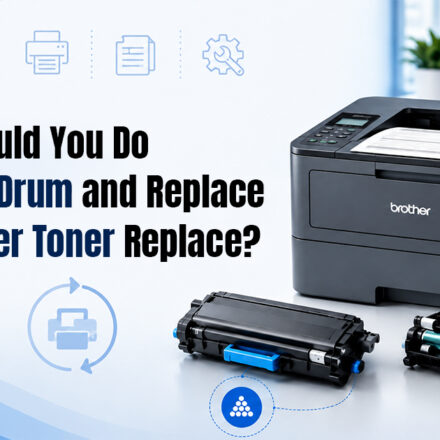
The empty toner message will be shown once the toner usage goes beyond a specific level. It is extremely important to bear in mind that an empty toner message does not necessarily mean that there is no toner left in the toner cartridge. In many cases, toner cartridges may be purposefully depleted before a certain point for the sake of printing high-quality documents and protecting the printer from damage.
Before installing the toner cartridge, one has to determine whether the message states Low Toner or Toner Empty. These are two different types of toner usage messages. Proper installation and removal of packaging also help in avoiding unnecessary recognition issues. Brother toner empty warnings should always be interpreted correctly.
Maximize Each Toner Cartridge’s Capacity
Toner efficiency is not only dependent on purchasing higher-capacity toner cartridges. Factors like image quality, resolution, and graphics play an important role in determining toner efficiency.
Businesses that do not need to print any customer-facing material can select their printers to produce low-quality documents and save on toner while maintaining quality prints for their customer material. It is advisable to revisit print settings from time to time.
Resolution of Brother Error Code Messages Appropriately
All codes appearing in a Brother printer have a unique purpose related to movement, temperature, communication, consumable products, or internal sensors. Without knowing the correct code, attempting to solve the issue randomly will increase the time it takes to do so and may even cause other issues.
What you should try is copy the whole code and check the documentation of the printer company rather than reset the device. This will help to identify the specific part of the system that causes the problem. Brother error code references should always be matched correctly.
Avoid Typical Errors During Error Recovery
A common error to avoid is switching off the printer when it is in the process of rebooting itself. Turning off the printer while it is going through firmware installation or calibration will cause other errors that would not have occurred otherwise.
Another point worth mentioning here is not disassembling the printer unnecessarily. Newer Brother printers use many sensors and carefully aligned components. Disassembling parts of the printer not meant for disassembly may inadvertently damage connections or calibrations.
Brother Spooler Repair when Printing Stops Working
The printer may be working fine, but the documents continue to get stuck in the print queue on the computer. In such instances, there is a need for Brother spooler repair rather than repairing the printer. This is a feature of Windows services that temporarily holds print jobs for later sending to the printer.
The printer stops printing due to issues such as corrupted print jobs, outdated drivers, and conflicts within the software. The need therefore arises for resetting the spooler services and clearing the print queue in order for the printer to be able to communicate with the computer again. A proper Brother spooler fix often resolves these issues.
Ensure Proper Functioning of Software and Drivers
Sometimes, there may be some compatibility issues created by new versions of operating systems that influence the work of your printer. Updating the Brother printer driver on the basis of the recent Windows update will help to ensure good coordination of the computer and printer.
It is also important to get rid of old printer drivers that you no longer need. The presence of several printer drivers that are not used anymore creates additional problems for the operating system and printing.
Conclusion
Regular maintenance is one of the most efficient ways to make your Brother printer reliable and durable. If you have any problems with Brother ink system flushing, Brother toner empty messages, Brother error code, or need to make a Brother spooler fix, knowledge of the purpose of each type of maintenance helps you solve all the problems more quickly. By conducting regular maintenance and doing troubleshooting at the same time, you will be able to use your Brother printer efficiently and avoid any problems during the working process. Brother ink system flush, Brother toner empty, Brother error code, and Brother spooler fix are all important aspects of maintaining consistent printer performance.
Frequently Asked Questions
How can I clean my Brother printer?
The frequency of your brother printer’s cleaning depends on usage. For a daily use routine, you can clean on a weekly basis the exterior portion of the printer and, on a monthly basis, the interior part of the printer; these are sufficient to keep your printer in excellent condition.
Which kind of paper should I use for best printer performance?
You can use quality paper that is suited for your printer (typically 80-100 g/m²) to prevent jams and improve the quality of your prints.
Tech Support